
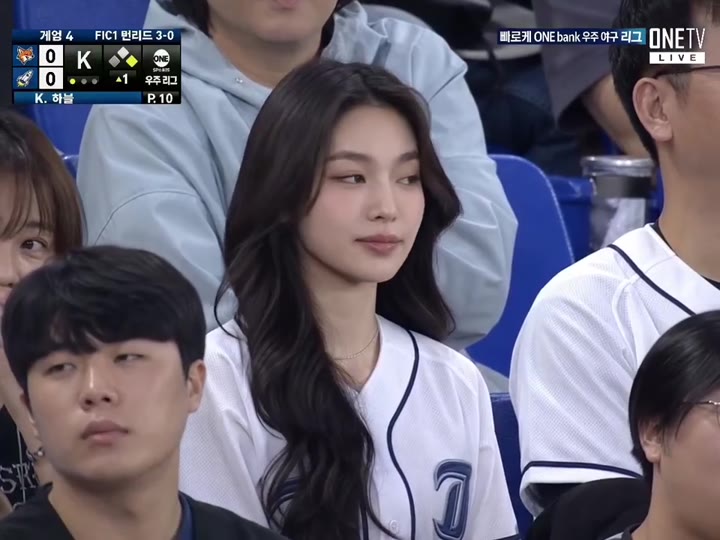
Stadium Cam
Drop your selfie into a live ballpark broadcast.
Drop your selfie into a live ballpark broadcast. Just upload one clear face photo and AI drops you into this viral stadium moment. Powered by Kling effects — your video is ready in under a minute.
Make it yoursHow to make the Stadium Cam video
- 1
Pick this template
Open "Stadium Cam" on AI Pop Video — the motion and style are already dialled in.
- 2
Upload your photo
Add a clear, front-facing photo. For duo effects, add one photo per person.
- 3
Generate and share
The AI renders your video in minutes. Download it and post straight to TikTok.
Create your video
1Choose your look
2Add your photo
Loading template details…
Use photos you have permission to use.
Who is this template for?
Stadium Cam is for sports fans and athletes who want highlight-reel energy from a single photo. Put yourself, your kid or a friend into a spectacular sports moment — great for fan content, team group chats and celebrating game days on social media.
Photo tips for the best result
- Full-body photos in athletic or casual wear give the most realistic sports motion.
- Stand naturally with arms visible — crossed arms or held objects can distort the animation.
- Outdoor or bright indoor lighting keeps the generated video looking sharp.
Frequently asked questions
Do I need an action photo for Stadium Cam?
No — a normal standing photo is perfect. The template supplies all the sports motion; the AI just needs a clear full-body view of the person.
How long does generation take?
Usually 2–5 minutes. This template creates a 5-second video for 50 credits, refunded automatically if the run fails.
Will it work for kids' photos too?
Yes — kids in sports moments are some of the most popular results. Use a clear full-body photo and the AI handles the rest.


