
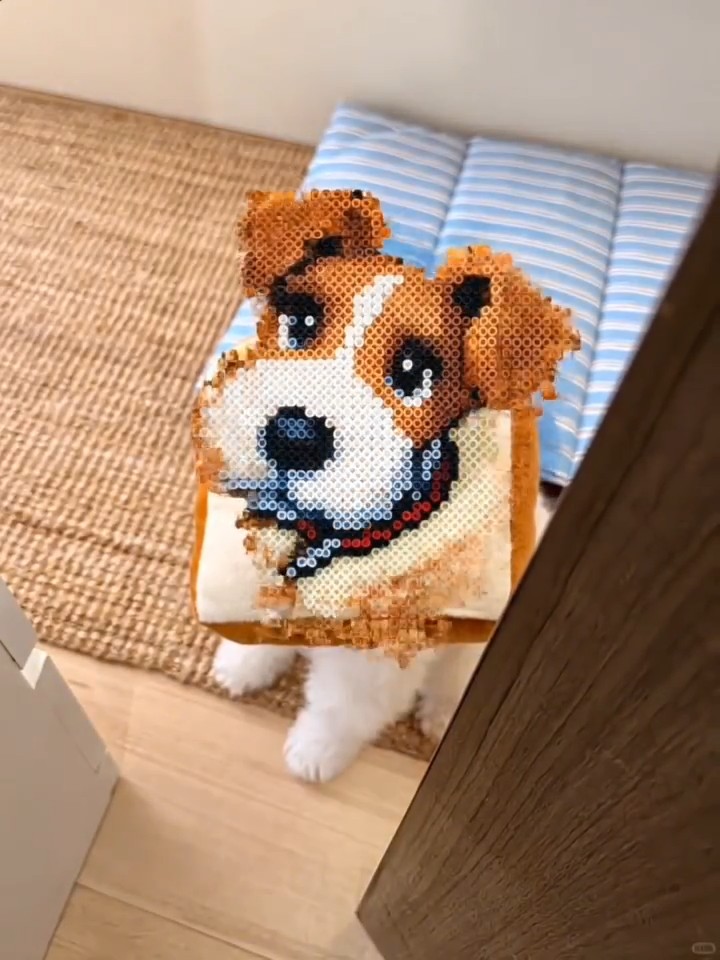
Perler Bead Art
Turn one photo into perler-bead pixel art.
Upload a clear photo and AI transforms it into satisfying perler-bead pixel art. Powered by Kling effects.
Make it yoursHow to make the Perler Bead Art video
- 1
Pick this template
Open "Perler Bead Art" on AI Pop Video — the motion and style are already dialled in.
- 2
Upload your photo
Add a clear, front-facing photo. For duo effects, add one photo per person.
- 3
Generate and share
The AI renders your video in minutes. Download it and post straight to TikTok.
Create your video
1Choose your look
2Add your photo
Loading template details…
Use photos you have permission to use.
Who is this template for?
Perler Bead Art is for creators who love transformation content — turning everyday photos into cartoon, anime or magic-effect clips. These videos work brilliantly as profile intros, reaction content and before/after reveals. No drawing or editing skills needed: the AI applies the full style and motion from a single photo.
Photo tips for the best result
- A clear, front-facing portrait gives the transformation the most detail to preserve.
- Good lighting on the face matters more than the background for style transfers.
- Avoid heavy filters on the source photo — the AI applies the full style itself.
Frequently asked questions
What does Perler Bead Art actually do to my photo?
It applies a complete style transformation with motion — your photo becomes an animated clip in the template's cartoon or effect style, while keeping the subject recognizable.
How long does it take and what does it cost?
Most transformations render in 2–5 minutes. This template creates a 5-second video for 50 credits, with automatic refunds on failed runs.
Can I use the result commercially?
Videos you generate are yours to use, including on monetized social accounts. See our terms of service for full usage details.


